

Views: 0 Author: Site Editor Publish Time: 2026-09-30 Origin: Site
Smart cards are used across access control, identification, membership, transportation, payment, hospitality, and many other applications.
However, “smart card” describes a broad category rather than one specific technology.
Two major types buyers frequently encounter are contact smart cards and contactless smart cards.
The key difference is how the card communicates with a reader. That difference affects card design, reader requirements, transaction workflow, user experience, and suitable applications.
This guide explains contact vs contactless smart cards and provides a practical framework for choosing between them.
Contact smart cards communicate through physical electrical contacts.
Contactless smart cards communicate using radio frequency technology.
Contactless cards do not need to be inserted into a reader.
Reader compatibility is critical when selecting either card type.
Some cards combine contact and contactless technologies in one credential.
The correct choice depends on application, infrastructure, security requirements, transaction speed, and user workflow.
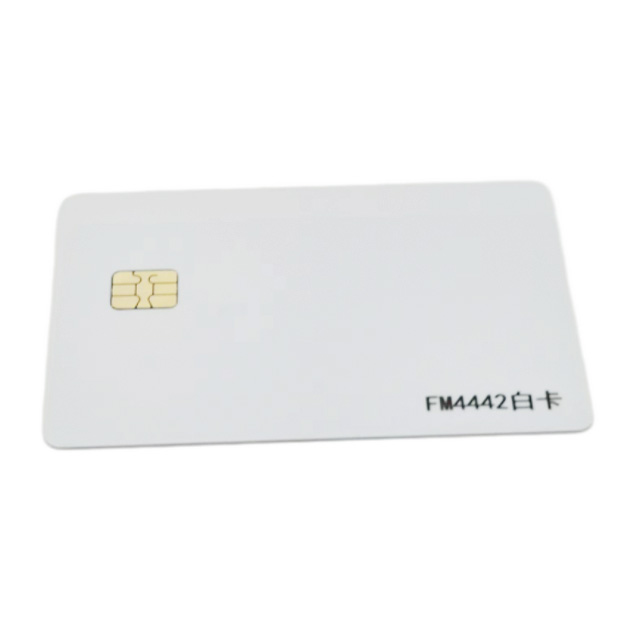
A contact smart card contains an integrated circuit that communicates with a reader through visible metallic contact points on the card surface.
To use the card, the user inserts it into a compatible reader.
The reader establishes an electrical connection with the chip and exchanges information according to the configured system.
Contact cards may be used for applications requiring structured chip-based data storage and processing.
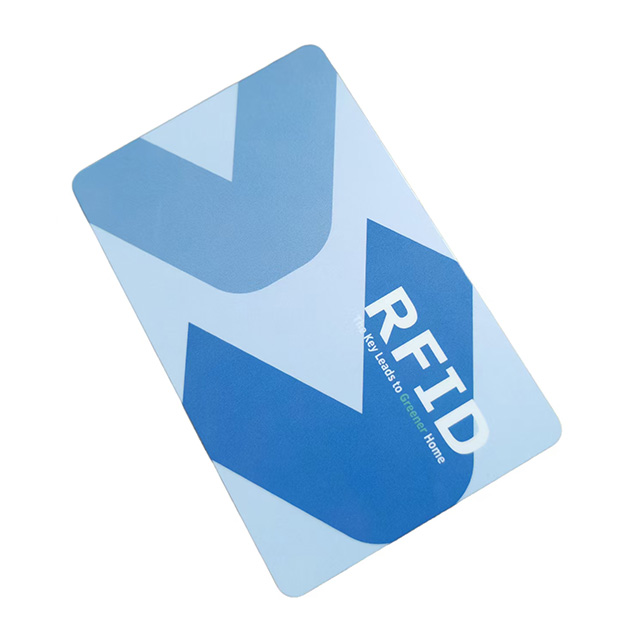
A contactless smart card contains a chip and antenna inside the card body.
Instead of establishing a physical electrical connection, the card communicates wirelessly with a compatible reader.
Users typically present or tap the card within the reader's operating range.
Common applications include:
Access control
Employee identification
Public transportation
Membership systems
Campus cards
Hotel applications
Cashless systems
| Feature | Contact Smart Card | Contactless Smart Card |
|---|---|---|
| Communication | Physical contacts | Radio frequency |
| Reader interaction | Insert card | Present/tap card |
| Internal antenna | Usually not required for contact interface | Required |
| Physical reader contact | Required | Not required |
| User workflow | Insert and wait | Tap/present |
| Typical applications | Secure ID/data applications | Access, transit, membership, identification |
| Reader compatibility | Contact reader | Compatible RFID/NFC reader |
When inserted into the reader, conductive pads on the card make contact with corresponding reader components.
The reader can then communicate with the integrated circuit.
Because physical contact is required, correct insertion and reader compatibility are essential.
A contactless reader generates an RF field.
When a compatible card enters the field, its antenna interacts with the reader and enables communication between the chip and system.
The exact communication distance depends on factors such as:
Frequency
Chip
Antenna design
Reader output
Reader antenna
Environmental conditions
Contactless should therefore not automatically be interpreted as “long range.”
Many contactless smart cards are intentionally designed for short-range interaction.
Low-frequency RFID systems are used in certain identification and access applications.
13.56 MHz technology is widely used in smart-card systems.
Depending on the card and standard, applications can include access control, transportation, identification, membership, and NFC interaction.
UHF technology can provide greater reading distances and is commonly associated with identification and tracking applications.
Frequency should always match the reader infrastructure.
Contactless cards are widely suited to access-control workflows because users can present a card to the reader without inserting it.
However, selecting an access credential requires more than choosing “contactless.”
Buyers should also determine:
Existing reader technology
Required frequency
Chip compatibility
Security architecture
Memory
Card personalization
Required reading distance
If an existing access-control system is already installed, verify compatibility before ordering replacement credentials.
Some applications require both contact and contactless communication.
A dual-interface smart card can integrate both interfaces into a single credential.
This may allow one card to interact with different parts of an organization's infrastructure.
However, implementation depends on the chip and system architecture, so requirements should be clearly defined before manufacturing.
This should usually be the first step.
A card is only useful if it communicates correctly with the installed infrastructure.
Ask how users should present the credential.
If rapid tap-based interaction is important, contactless technology may suit the workflow.
If the existing system requires card insertion and chip contacts, contact cards may be necessary.
Do not order based solely on card appearance.
Two visually identical cards may contain completely different chips.
Provide the supplier with the required chip model or reader/system specifications.
Smart cards may support:
Printed names
Employee photographs
Serial numbers
QR codes
Barcodes
Magnetic stripes
Signature panels
UID printing
These requirements should be confirmed before manufacturing.
One of the most common errors is ordering a card based only on frequency.
Cards operating at the same nominal frequency are not automatically interchangeable.
Protocol, chip family, memory, security configuration, and reader software can all affect compatibility.
Another mistake is placing a mass-production order without testing samples against the actual reader.
Always test representative cards in the real system whenever possible.
Provide as much information as possible:
Application
Reader model
Frequency
Chip model
Memory requirements
Security requirements
Card dimensions
Card material
Printing artwork
Personalization
Encoding requirements
Quantity
If the chip model is unknown, supplying information about the reader or existing card may help the manufacturer determine suitable options.
The main difference between contact and contactless smart cards is their communication interface.
Contact cards require a physical connection with the reader, while contactless cards communicate through radio frequency technology.
Neither technology should be selected in isolation.
Your existing reader infrastructure, system protocol, security architecture, application, personalization requirements, and user workflow should determine the appropriate card.
For B2B smart-card projects, compatibility testing before mass production is one of the most important steps you can take.
Contact smart cards communicate through physical electrical contacts after insertion into a reader. Contactless smart cards communicate wirelessly with compatible RFID or NFC readers.
Most commonly used passive contactless smart cards do not contain batteries. They obtain the energy required for communication from the reader's RF field.
RFID is a broad technology category. Many contactless smart cards use RFID technology, but RFID products also include labels, tags, wristbands, key fobs, and other form factors.
Yes. Dual-interface smart cards can support both interfaces when designed with compatible chips and card architecture.
Check the reader's supported frequency, protocol, chip families, and system requirements. For commercial projects, testing physical samples with the actual reader before mass production is recommended.


